Catch yourself slouching.
Hunch notices slouching with compatible AirPods, your iPhone’s front camera or both, then gives you a gentle nudge to adjust.
- Free to download
- Requires iOS 26 or later
- No account needed

Notice the drift. Make a small adjustment.
Made for work, study and everyday screen use. Hunch checks in on your posture, so you don’t have to remember to.
Step 1
Calibrate
Sit or stand upright, then tap Calibrate. Hunch saves this as the baseline for recognising changes in your posture.
Step 2
Track
Start a session and see your posture live. The face mirrors your head position and changes colour as you drift.
Step 3
Reset
When you slouch, Hunch nudges you with a sound, vibration or notification. Return to your starting position until the face turns green again.
Track with what you already have.
Use compatible AirPods or Beats, your iPhone’s front camera, or both together.
Headphones
Detects head tilt and turning
Uses the motion sensors in compatible AirPods and Beats. Hunch shows whether your connected headphones support tracking.
Compatible headphones
- AirPods 3, AirPods 4 (with or without Active Noise Cancellation) and AirPods 5 (with either charging case)
- AirPods Pro 1, AirPods Pro 2 and AirPods Pro 3
- AirPods Max 1 and AirPods Max 2
- Beats Fit Pro, Beats Studio Pro, Beats Solo 4, Beats 360, Powerbeats Pro 2 and Powerbeats Fit
Camera
Detects head tilt, turning and forward movement
Uses face tracking on supported iPhones, with Hunch open in the foreground. Camera frames are processed on your iPhone and are not stored.
- Recommended
Combined
Detects head tilt and turning with AirPods, and forward movement with the camera
Uses AirPods motion and camera face tracking together, with Hunch open in the foreground.
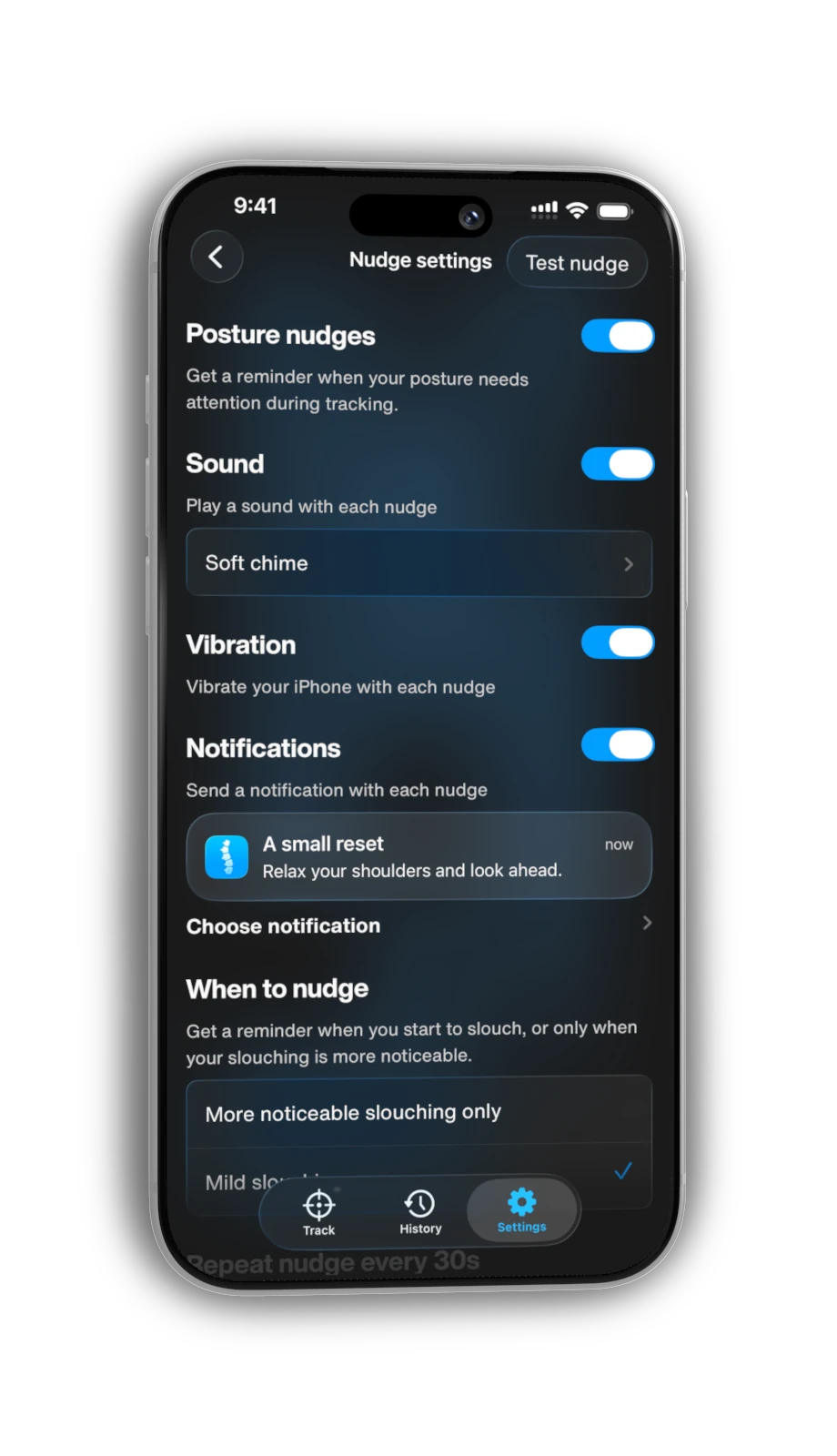
A gentle nudge to reset.
When your posture needs attention, Hunch lets you know with a sound, a vibration or a notification. Make a small adjustment and carry on.
- Sounds
- Play a built-in sound with each nudge, or record or import your own with Hunch Plus.
- Vibration
- Feel a vibration from your iPhone with each nudge.
- Notifications
- See a reminder with each nudge, or write your own title and message with Hunch Plus.
- Timing

- Choose how far your posture can drift before a nudge, and how often nudges repeat.
See your daily progress.
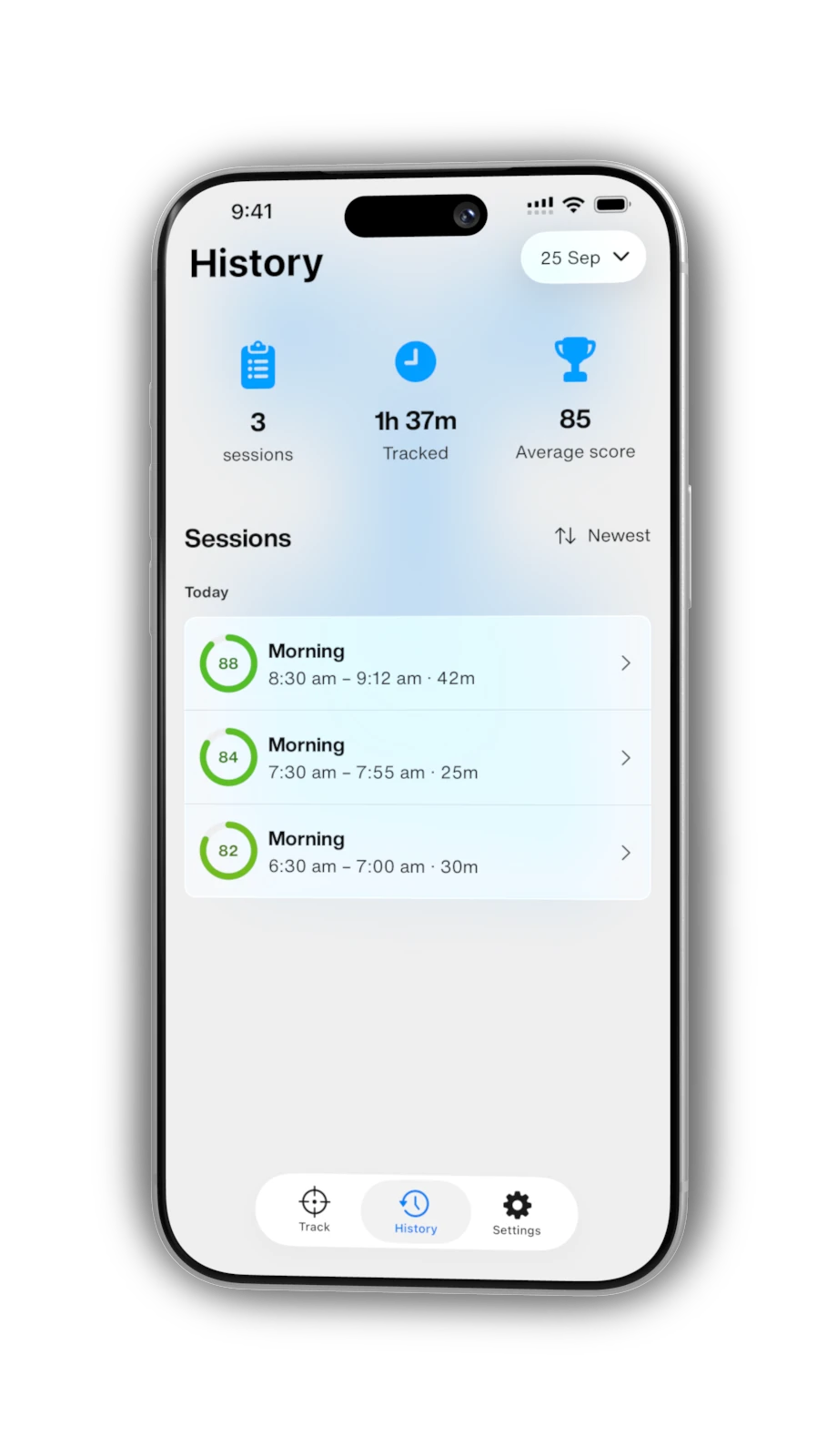
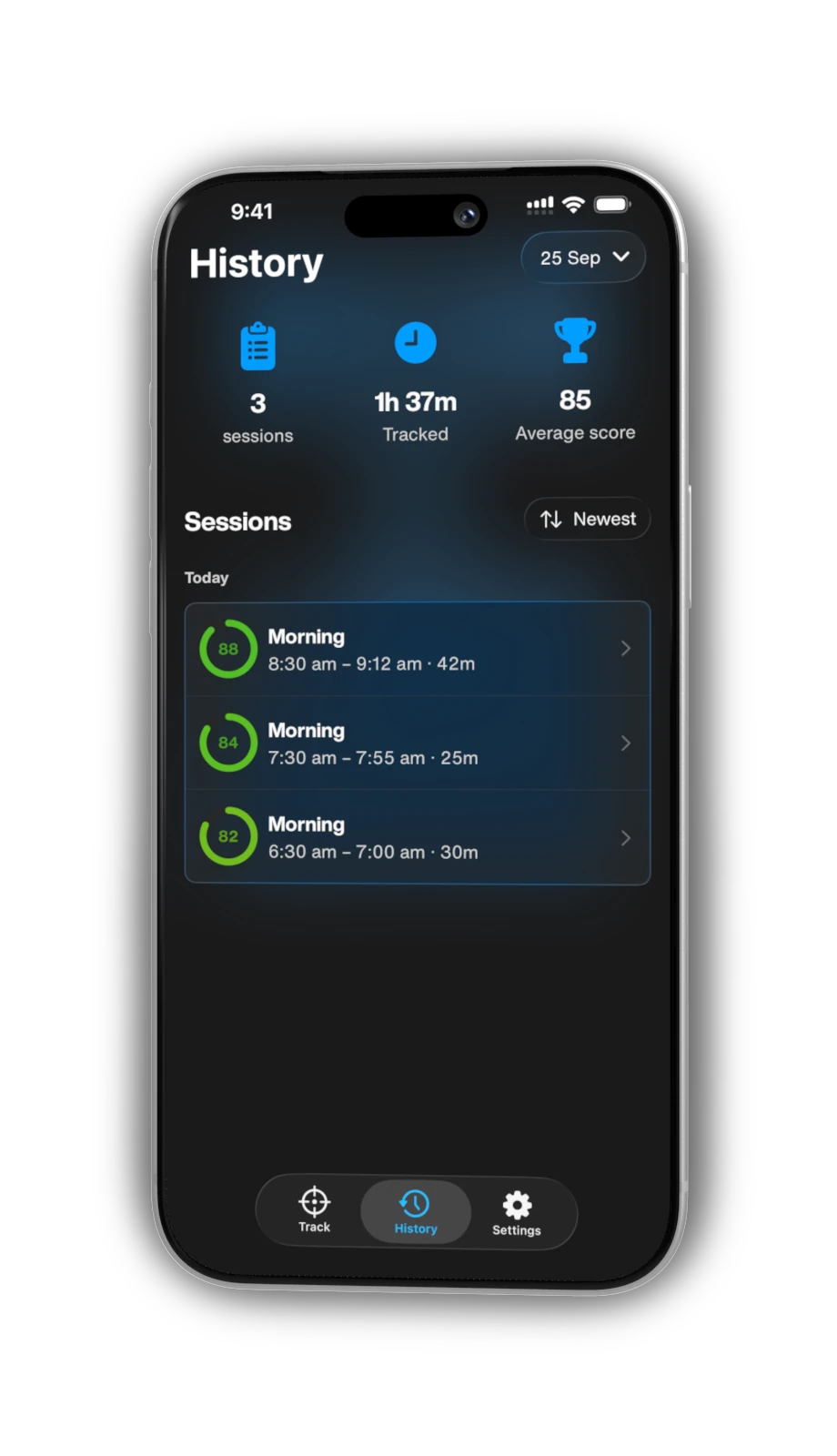
Hunch saves each session you complete with a posture score, so you can see how today is going at a glance.
- Live session stats
- Follow your score, your current good-posture run and slouches while you track.
- A score for every session
- Each completed session gets a posture score out of 100.
- Today at a glance
- Review today’s sessions, time tracked and average score for free.
- Full history
- Look back at every session, beyond today.
Private by design.
Hunch is built to notice your posture, without needing to know who you are.
No account needed
There’s nothing to sign up for. Hunch doesn’t ask you to create an account or sign in.
Camera frames stay on your iPhone
Camera images are processed on your iPhone and are not recorded or uploaded.
History on your device
Saved sessions stay on your iPhone unless you turn on iCloud Sync with Hunch Plus, which uses your private iCloud account.
Never used for advertising
Posture records aren’t sent to our servers or used for advertising, and we don’t sell face data.
Start free. Upgrade when you’re ready.
Start with the essentials for free. Add longer sessions, full history and personalised reminders with Hunch Plus.

Free
Everything you need to start noticing your posture.
- Tracking sessions
- Up to 25 minutes each
- Session history
- Today’s sessions and statistics
- Reminders
- Built-in sounds, vibration and notifications
- Nudge controls
- Fixed sensitivity and timing
- History storage
- On your iPhone
- Appearance
- Follows your device setting
Hunch Plus
An optional monthly or annual subscription.
- Tracking sessions
- No 25-minute limit
- Session history
- Full history and statistics
- Reminders
- Custom sounds and messages too
- Nudge controls
- Adjustable sensitivity and timing
- History storage
- Optional private iCloud Sync
- Appearance
- Follow your device setting, or choose Light or Dark
Subscribe to Hunch Plus in the app. Prices are shown before you subscribe.
Questions, answered.
Need a hand? Visit support.
Which devices does Hunch support?
Hunch requires an iPhone with iOS 26 or later. Headphone tracking uses compatible AirPods or Beats with motion support. Hunch shows whether your connected headphones support tracking.
Can I use Hunch without headphones?
Yes. Camera tracking works on supported iPhones with camera access allowed. Hunch must stay open in the foreground. Camera frames are processed on your device and are not stored. You can also combine camera and headphone tracking.
What’s included for free?
Tracking sessions of up to 25 minutes each, today’s sessions and statistics, built-in sounds, vibration and notifications, and fixed nudge sensitivity and timing. No account is needed.
Where is my posture data stored?
Your history stays on your iPhone unless you enable Hunch Plus iCloud Sync, which uses your private iCloud account. Support feedback does not include raw posture data or camera frames.
How do I cancel Hunch Plus?
Manage or cancel your subscription in your Apple Account subscription settings. Deleting the Hunch app does not cancel a subscription.
Is Hunch a medical device?
No. Hunch helps you notice your posture. It does not diagnose, treat or prevent health conditions, and does not replace medical advice.